

Using a Wifi dashcam with App
, by Allcam dashcams, 1 min reading time
, by Allcam dashcams, 1 min reading time
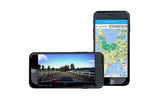
Using a dashcam with App is only possible if your dashcam has Wifi. A dashcam with Wifi allows you to connect to the dashcam via an App on your smartphone or tablet when you are within range of the Wifi signal (5 to 10 metres). Via the App, you can then watch the dashcam live or view or download saved footage. You can also change many settings via the App.
Most larger dashcam brands such as AZDome and BlackVue have their own App. For all other dashcams, you can use a universal App. The most commonly used universal Apps are RoadCam, LuckyCam and Wifi dashcam viewer. These Apps can be downloaded for free in the Google and iOS App stores.


